Release documentation guide
How to Document Website Releases With Screenshots
Learn how to document website releases with reproducible screenshots, clear annotations, and shareable visual evidence for engineering, design, and stakeholders.
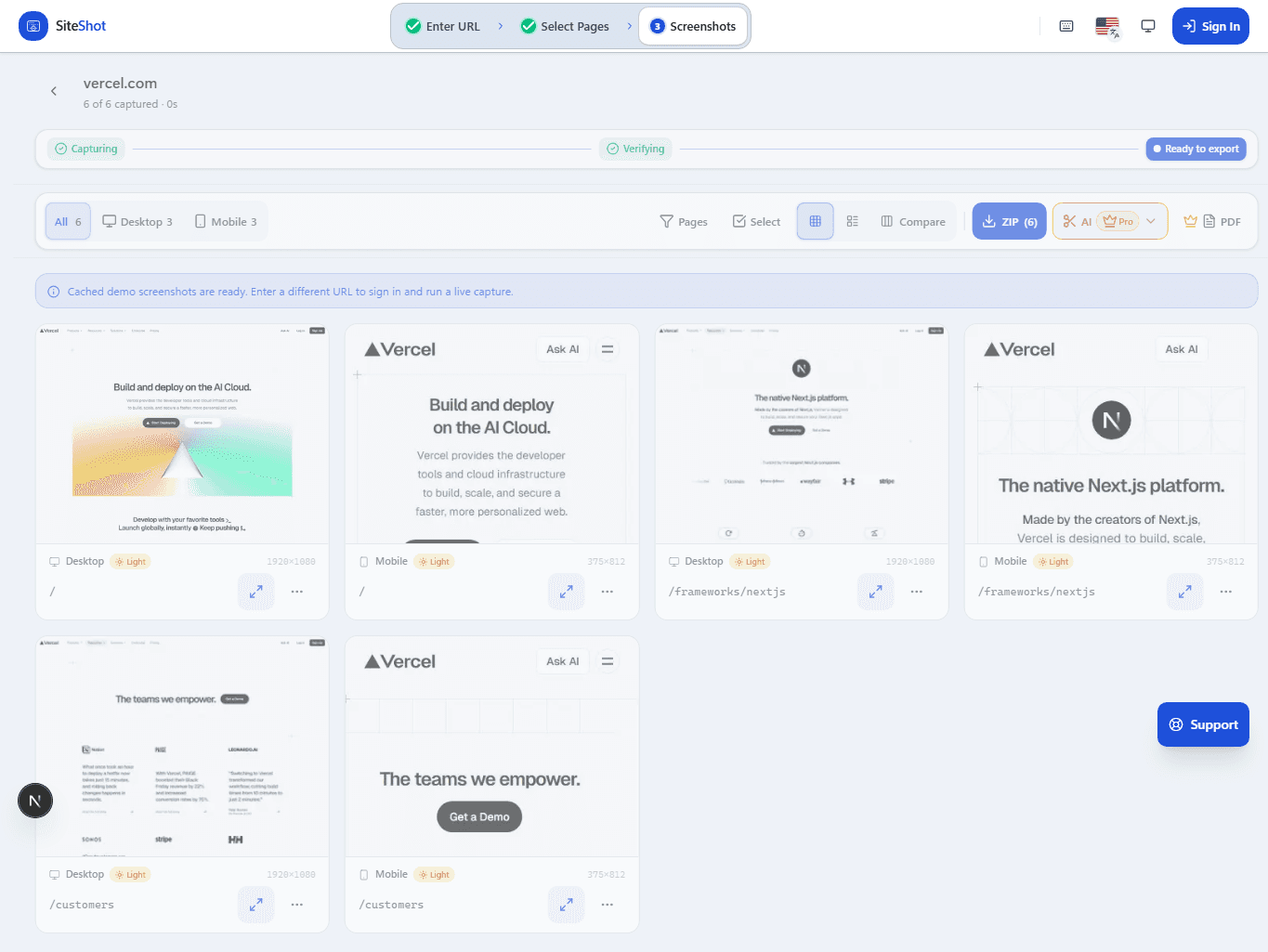
Why a release needs visual evidence
Release notes explain intent, but they rarely show the final customer experience. A short screenshot record closes that gap. It helps a designer verify a shipped detail, gives support a reference when a customer reports a discrepancy, and lets an engineer confirm that a deployment matches the version reviewed in development.
The goal is not to attach screenshots to every commit. Use them where visual output is part of the acceptance criteria: marketing pages, responsive components, checkout or sign-in boundaries, content launches, theme changes, and fixes that are difficult to explain in a diff. In those cases, screenshots are durable evidence—not decoration for the release note.
1. Start with the release question, not a pile of images
Before capturing, write one or two sentences about what the release changes and which customer-facing routes prove it. For example: the new navigation must remain usable at mobile widths, the onboarding panel must display for a signed-out visitor, or the campaign page must preserve its full content below the fold. Those statements determine the URLs, states, and viewports worth recording.
A focused scope also keeps documentation readable. A release that changes a shared navigation may need four representative routes. A release that changes one product card may need one route, two breakpoints, and an open-state screenshot. If the scope grows while you capture, record why; that is valuable evidence of a shared dependency or an unexpected affected surface.
- State the visual acceptance criteria in plain language.
- List the route, user state, locale, and viewport for each proof image.
- Attach a release, pull-request, or task reference to the capture set.
2. Capture the source and the result
A useful release record identifies both what was captured and where it came from. Include the canonical URL, the environment, the capture time, and the release or deployment identifier when available. When content is personalized or authenticated, record the role and the setup conditions without exposing customer data, tokens, or internal URLs in a public artifact.
Use full-page screenshots for long pages and viewport captures for interactions where the visible frame matters. If a result depends on an open menu, a validation message, a modal, or a selected state, make that state unambiguous in the image title. For automated screenshot workflows, keep the baseline and post-release captures in the same project so a reviewer can compare them without hunting across folders.
3. Annotate decisions instead of narrating pixels
Annotations should answer what a reviewer needs to do next. A concise note such as “mobile header wraps after 390 px; expected after navigation redesign” is far more useful than a paragraph describing colors. When something is wrong, identify the route, viewport, affected region, expected result, and owner. That turns visual evidence into an actionable review task.
Avoid annotations that expose private content or make claims the capture cannot prove. A screenshot can show that a layout rendered; it cannot prove that a background job completed or that an analytics event reached a provider. Keep functional, performance, security, and visual evidence distinct, then link them from the same release item when they are all required.
- Label expected visual changes so they are not mistaken for regressions.
- Create one focused task per actionable visual problem.
- Keep comments factual: what is visible, where it appears, and what should change.
4. Make the record easy to share and revisit
Different audiences need different formats. Engineering may want a link from the pull request, design may want an annotated comparison, and a client or stakeholder may need a concise PDF or a review link. Start from one authoritative capture set and export or share copies for those audiences instead of maintaining separate image collections.
Choose a naming convention that makes the record searchable: release identifier, route or feature name, state, viewport, and date are usually enough. Keep the visual history alongside the project or release that owns it. Six weeks later, that record can explain whether a newly reported issue was introduced by the current deployment or already present in the approved baseline.
5. Close the loop after deployment
A pre-release screenshot is valuable, but a final production confirmation catches environment-specific differences such as content delivery, feature configuration, cache state, or a deployment mismatch. Re-capture the limited acceptance matrix after the intended version is live, compare it with the approved candidate, and note any deliberate deviations.
ViewportKit can keep that loop organized with saved screenshot projects, review tasks, shareable links, and exports. Use it as a visual evidence layer alongside your release checklist, not as a substitute for deployment verification. The strongest record connects the release identifier, the visual proof, the approvals, and any follow-up work in one place.
Put the guide into practice
Capture a review-ready record of your next release
Use ViewportKit to capture the pages, viewports, and states that support this workflow, then keep the evidence ready for review.